I had the weirdest bug the other day: rotating the iPhone worked fine in iOS 7, but not in iOS 8. Actually it was weirder: Some UIView instances adjusted themselves perfectly after the rotation, but some had the wrong size (even though they all had the exact same UIView subclass).
After some digging I discovered that layoutSubview was called several times during rotation, and each time the view had a different frame. Moreover, these calls were not happening sequentially! Instead, layoutSubviews was called with frame1, and before returning it was being called with frame2, and before returning form that it was called with frame3 — all for the same UIView.
There wasn’t a lot of code in my layoutSubviews, nothing that takes long. But it was apparently long enough to cause a bug in some instances.
My solution was to schedule a layout update for a split second later:
- (void)layoutSubviews
{
    [super layoutSubviews];
    [self performSelector:@selector(adjustLayout) withObject:nil afterDelay:0.01]; // avoid re-entering with different frame
}

- (void)adjustLayout
{
    if (CGRectEqualToRect(self.bounds, self.oldBounds)) return;
    // layout code here
    self.oldBounds = self.bounds;
}


 The private API
  Some actions may sometimes have more than one possible target, and other times only one.
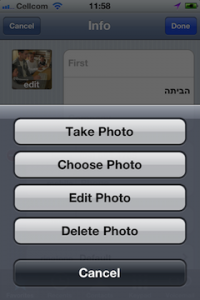 Or picking an image. If you’re running on a camera-less iPod, you just show a UIImagePickerController to pick from the photo library. But with a camera, and maybe an existing image to delete, you’ll want to show an action sheet to choose the actual action that your “Photo” button performs.
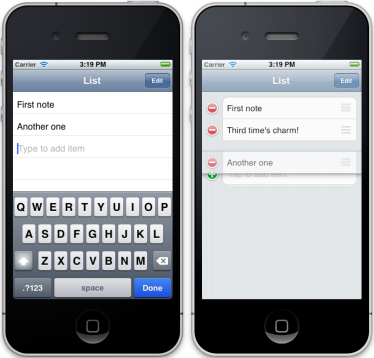 I like the simple and straightforward interface of the Reminders.app: edit reminders inline, and add a reminder by tapping and typing in the next empty line. So I wrote a UITableViewController subclass that does just that, but adds Edit mode with reordering.
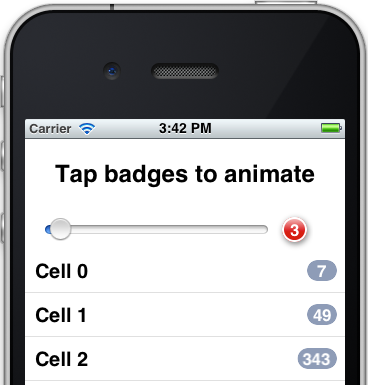 I know, I know – not another badge class! But the thing is, the other badges laying around the net all seem overly complicated and too inflexible. So yes, I wrote another badge class. Luckily, it was really easy because I used the built-in capabilities of iOS, and it turned out very flexible and powerful, because, well, I used the built-in capabilities of iOS. No manual CoreGraphics drawing code, just automatic CALayer-s magic.